Define the roles of your teammates
Written by

Published on
5/5/26
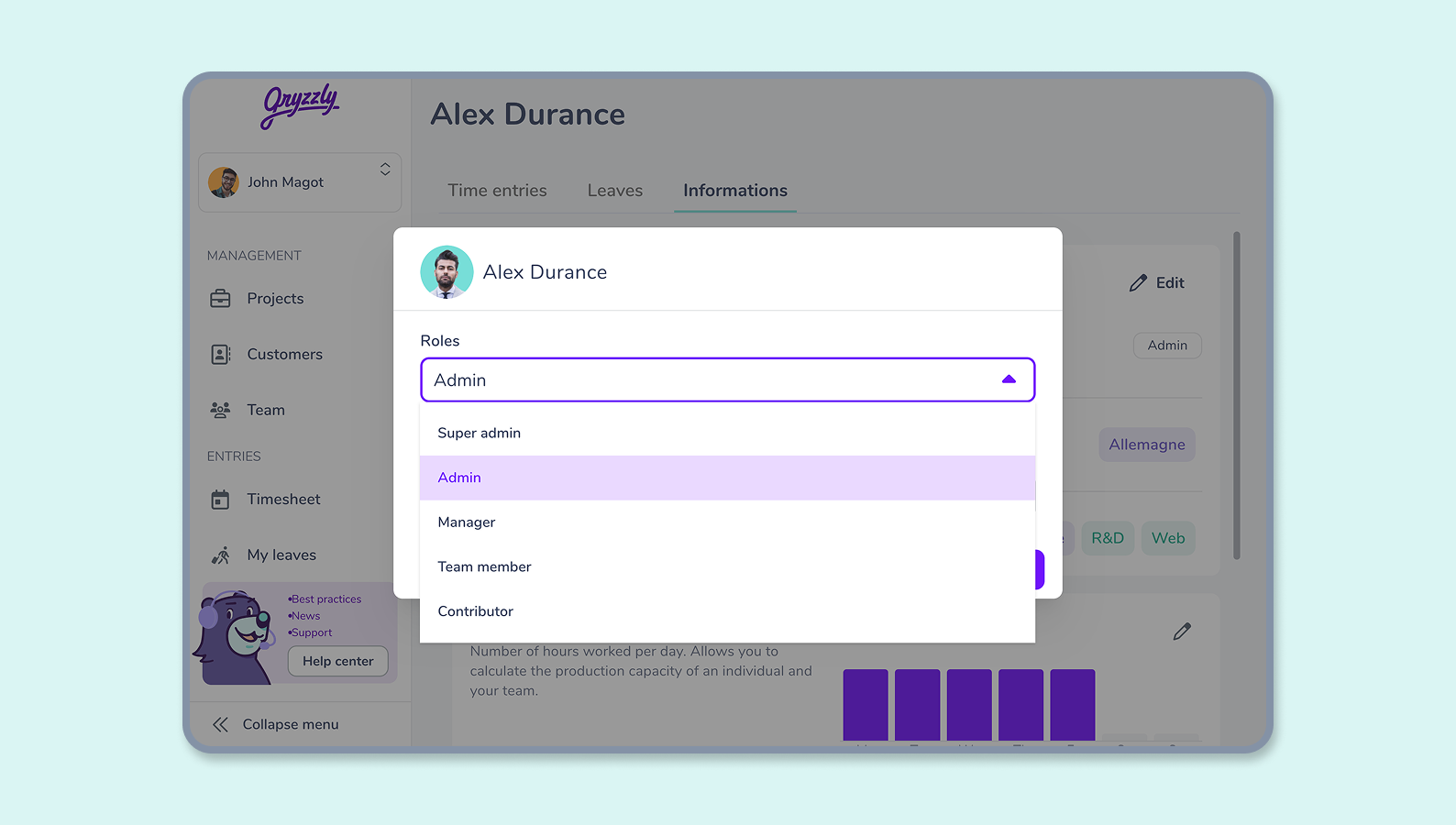
Each user in Gryzzly has a role that grants him access to pages and permissions on resources. The role for a user can be selected during the invitation and modified later in his profile page.
Available roles and their permissions are detailed in a dedicated article.
How to edit roles
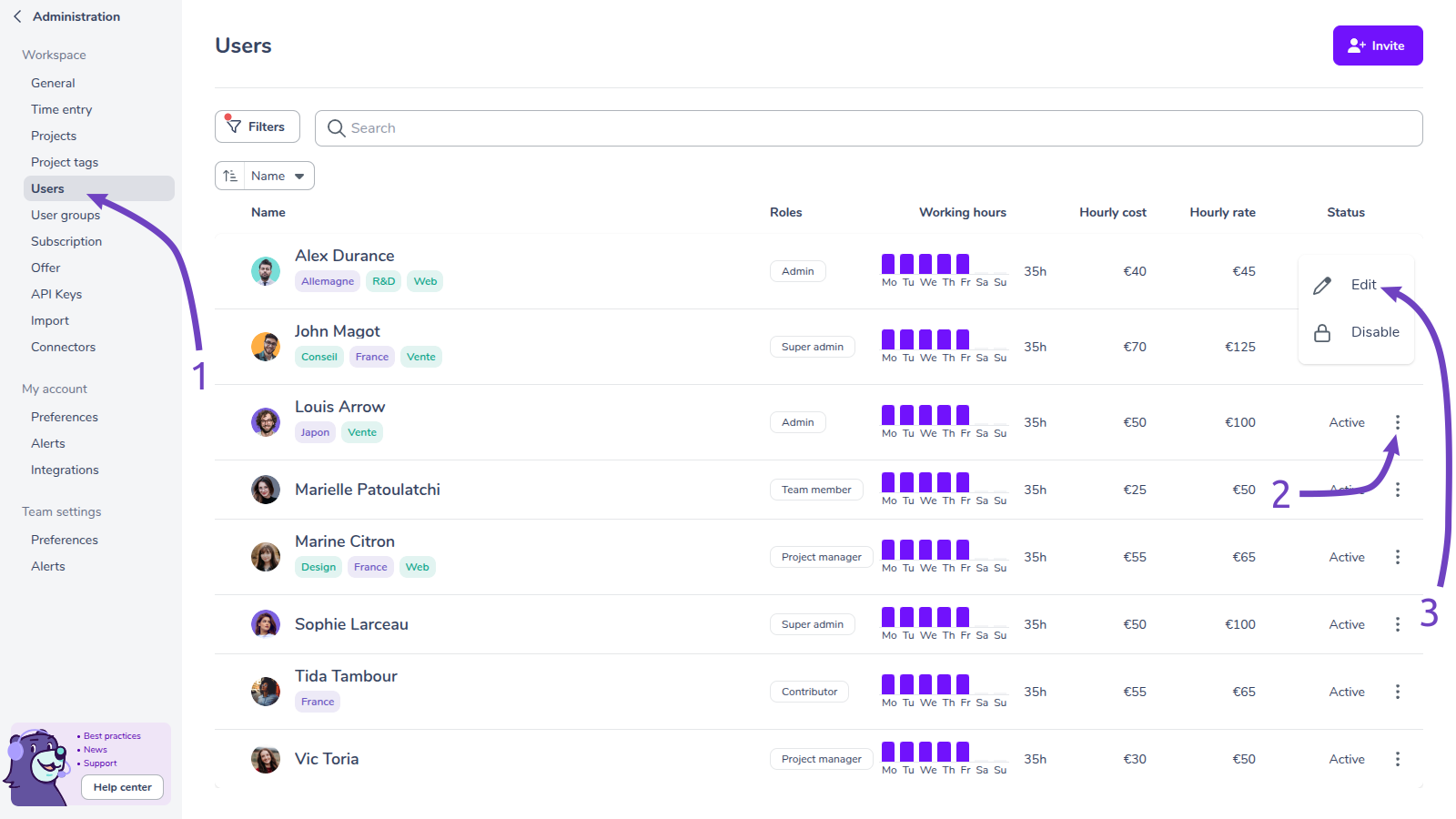
- Go to the users administration page.
- Click on the vertical ellipsis to display the actions menu.
- Click on the “Edit” button.
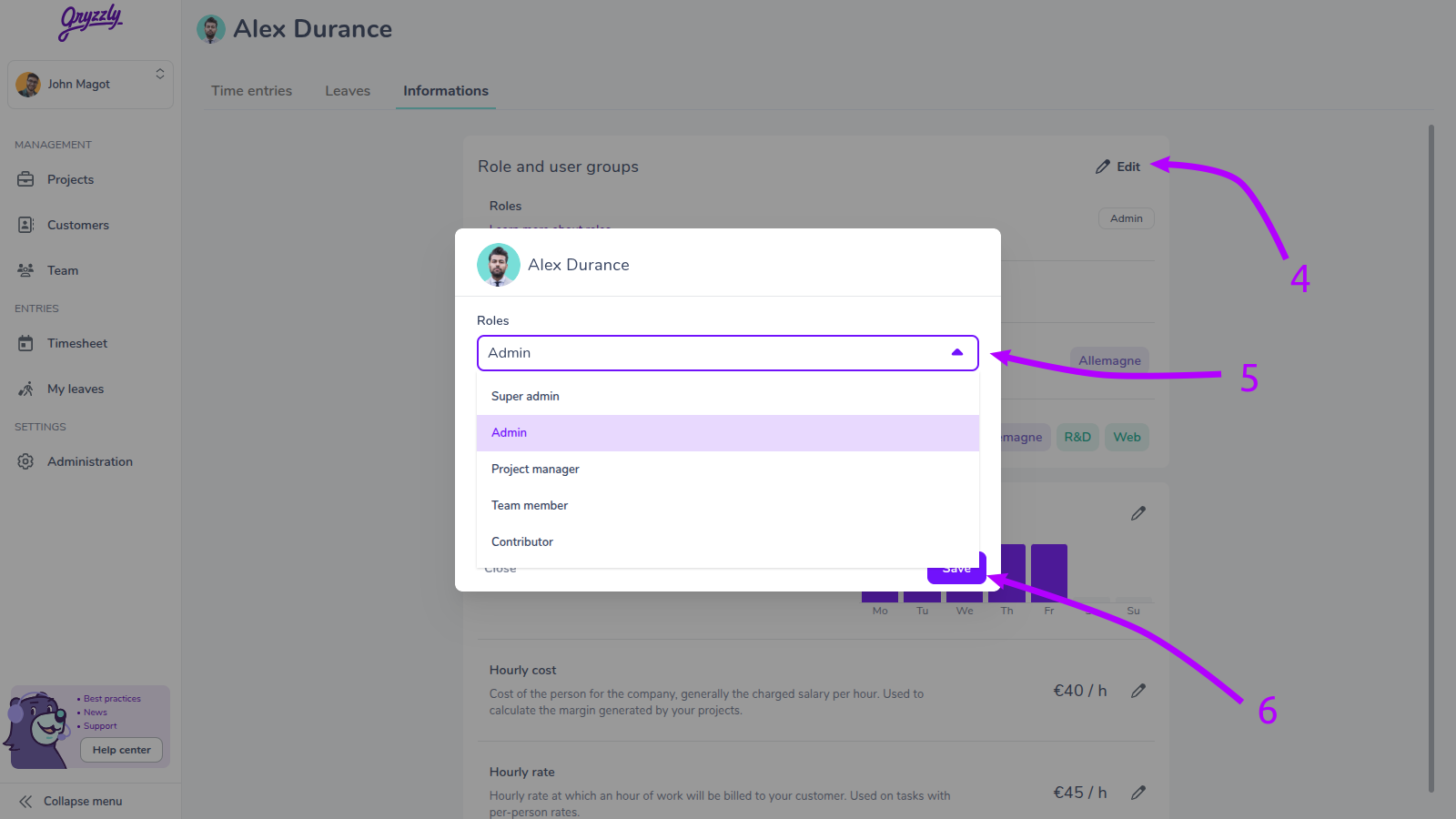
- Click on the “Edit” button.
- Select a role in the dropdown menu.
- Click on the “Save” button.